

Your public league page and standings
Tick Show on edrbroadcast.com for the standings and List on edrbroadcast.com for Find a league, then add your links. Your page is named after your sign-up link.
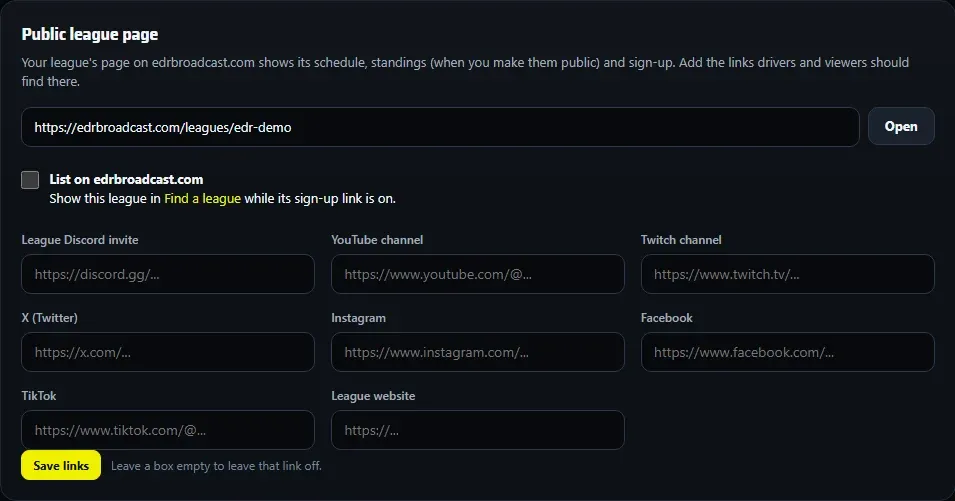
Your league gets its own page on edrbroadcast.com: its schedule, standings (when you make them public), results and sign-up.
Your page’s address
The address is edrbroadcast.com/leagues/ followed by your sign-up link’s name, so choose that name with care in Settings > Sign-up link. The page goes live once you have a sign-up link or public standings. Settings > Public league page shows the address, with Open beside it.
Make the standings public
Open Seasons > your season > Standings and tick Show on edrbroadcast.com. The public standings show raced names and results only, no photos.
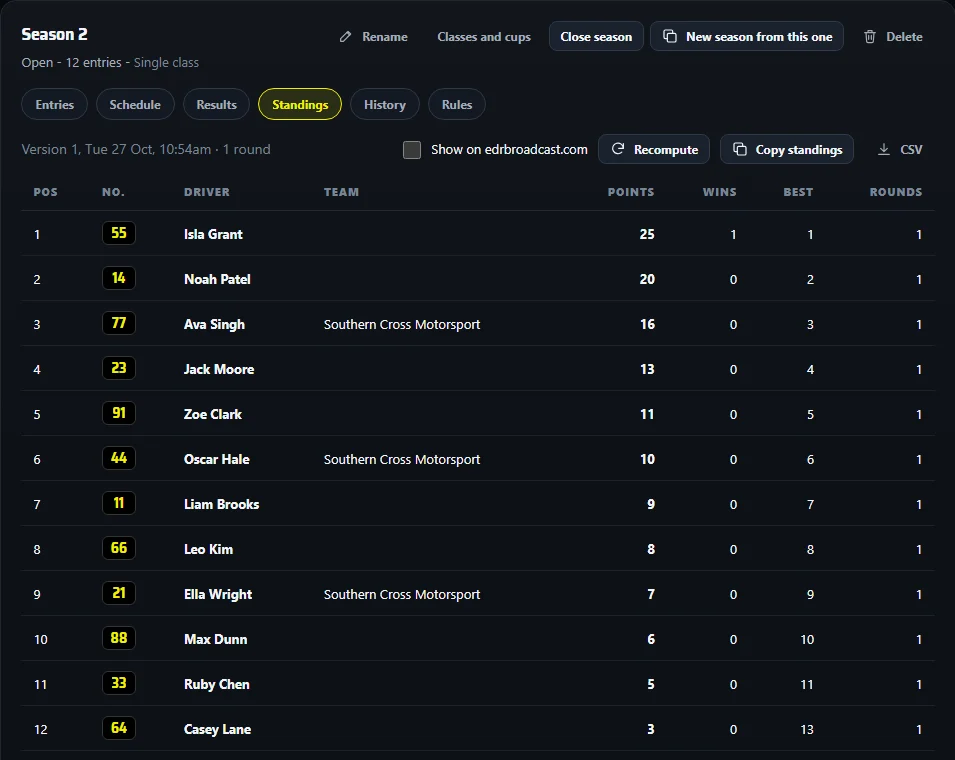
Copy standings gives you the table as text for a Discord post, and CSV downloads it.
Appear in Find a league
In Settings > Public league page, tick List on edrbroadcast.com. Your league then shows in Find a league while its sign-up link is on. Fill in the Listing details (about your league, discipline, region, cars, minimum licence) so drivers know what you run.
Telling drivers where to look? Send them to edrbroadcast.com/leagues/find or straight to your page. edrbroadcast.com/leagues is the page about the League plan.
Add your links
Under Public league page, add your league’s Discord invite, YouTube, Twitch, socials and website, and press Save links. Leave a box empty to leave that link off.
What visitors see
- On a phone, the standings show position, driver and points. Tap Rounds on a row to see each round’s points.
- Provisional marks rounds that aren’t official yet, if you post only official results.
- Your logos, sponsors and colours come from Settings > Branding, and Embed on your website puts the table on your own site.
- Which name shows? The Name on your roster for each driver; otherwise their published profile name.