

Always ignore drivers, and delete a result
Put race control and broadcasters on the Always ignore list once: they never score, post or show publicly. Delete results takes out a wrong round, schedule kept.
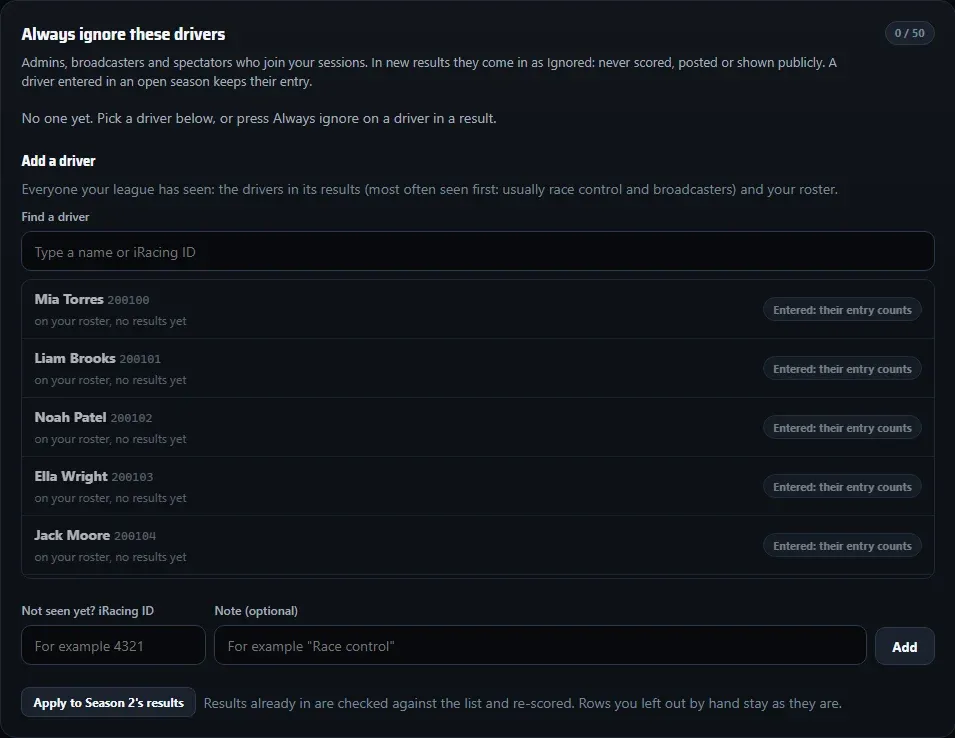
Race control, your broadcaster and spectators often join the session and show up in every result. Put them on one list and they come in as Ignored in every new result: never scored, posted or shown publicly.
Always ignore these drivers
- Open Settings and find Always ignore these drivers. (Or press Drivers who should never score under a result in Results.)
- Under Add a driver, type a name or iRacing ID in Find a driver. The list shows everyone your league has seen, most often seen first: usually race control and broadcasters. Pick one, add a note if you like (“Race control”) and add them.
- Not seen yet? Type their iRacing ID under Not seen yet? iRacing ID and press Add.
- For results already in, press Apply to this season’s results. The season is re-scored; rows you left out by hand stay as they are.
You can also add someone straight from a result: press Always ignore next to the driver.
A driver entered in an open season always keeps their entry. The list never takes points from a real entry.
Ignore this time, or always?
| Button | Reach |
|---|---|
| Ignore this time (on a result row) | This result only. Next week they’re back as Not matched. |
| Always ignore (on a result row, or the Settings list) | Every new result, until you take them off the list. |
Delete a result
Imported the wrong session, or a race that should never count?
- Open the round in Seasons > Results (waiting for review, or confirmed).
- Choose Delete results. The box says which result goes; give a short Reason.
- Press Delete results.
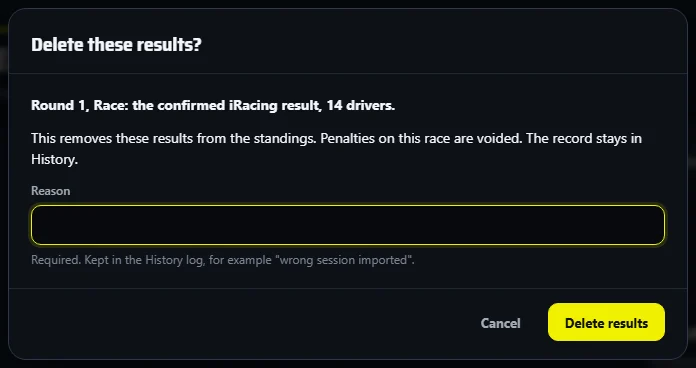
The results come out of the standings, any penalties on that race are voided, and the record stays in History as Deleted. The round stays on your schedule, so you can import the right session straight away.
Only a wrong finish, lap count or status? Use Correct this result instead: the race keeps counting. And never delete a whole season to get rid of one bad import.